Xerte
Now I want to show you the talented tool. When you log into this website, you will see an interface like below. You can choose to a type of project from the right side. And you can edit or preview the project as you wish. If you delete one project unintended, you can find it back via the recycle bin.

Since this software allows teachers to add different types of materials into it, such as videos, sounds, images, or even the Google map. All these materials can be authentic materials, which relate to the students' daily life, so the purpose of language learning, to communicate effectively, can achieve. I'm sure these sources will help the learning process interesting.
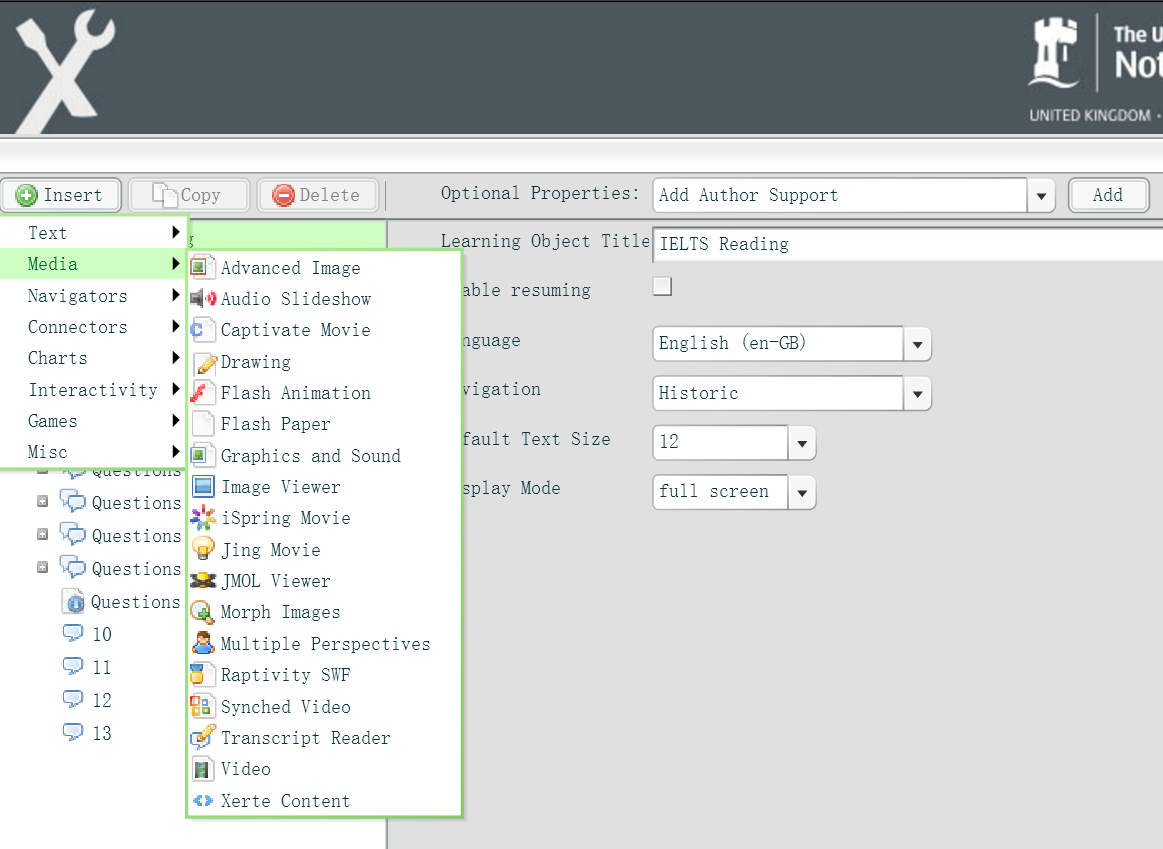

You may want to also add some interactivity into your design, and Xerte provides you several types of task model. Some of them are similar to the tasks we adopted from course books, and some are very interactive which are unique with the technology support.

For example, the Hotspot Image can be used in vocabulary teaching, and it helps students establish an awareness of the meanings of words. As the image showed below, the students can understand and memorise

You may ask if this tool will be very hard to use? No! Definitely NO! You can find out that once you insert a new section into your project, the main interface on the right will give you instructions about the content you need to edit in different part. The only thing you need to do is to follow the instructions (as the picture showed below). But I have to say that some names of the activities are not very clear, so I have to try to find out the functions myself (maybe it's my problem, since I'm not a native English speaker :P).

Once you finish your task design, you may need to publish it to your students or your colleagues, you can manage the access of in

Merit
For the learners, they can learn at their own pace, which allows the users to practice times and times. Secondly, it can help the teachers save the time for face-to-face classes. Since the basic exercise can be done off classes, and it leaves more time for the pronunciation practice and group activities. Lastly, the traditional language exercise may be boring for the students, but by putting it in an interactive way, the students may have more motivations.
Disadvantages
This software is not free :(. I only have the access with colours
My Design
I designed one IELTS reading exercise with Xerte. Since to
Useful links
If you need more detailed help on this tool, you can discuss it with me. Although I haven't used it for a long time, I'd love to explore it with you together. And you may also find this link very useful, which is a video about how to use it.
I do hope this tool can be a friend for your teaching process :).


